Improving Site Navigation
World Cares Center
2023
ROLE
Product Designer
TEAM
Founder,
Project Manager,
4 Developers
TIMELINE
8 Weeks
PLATFORM
Web, Mobile
OVERVIEW
An Outdated Website in Need of a Usability Overhaul
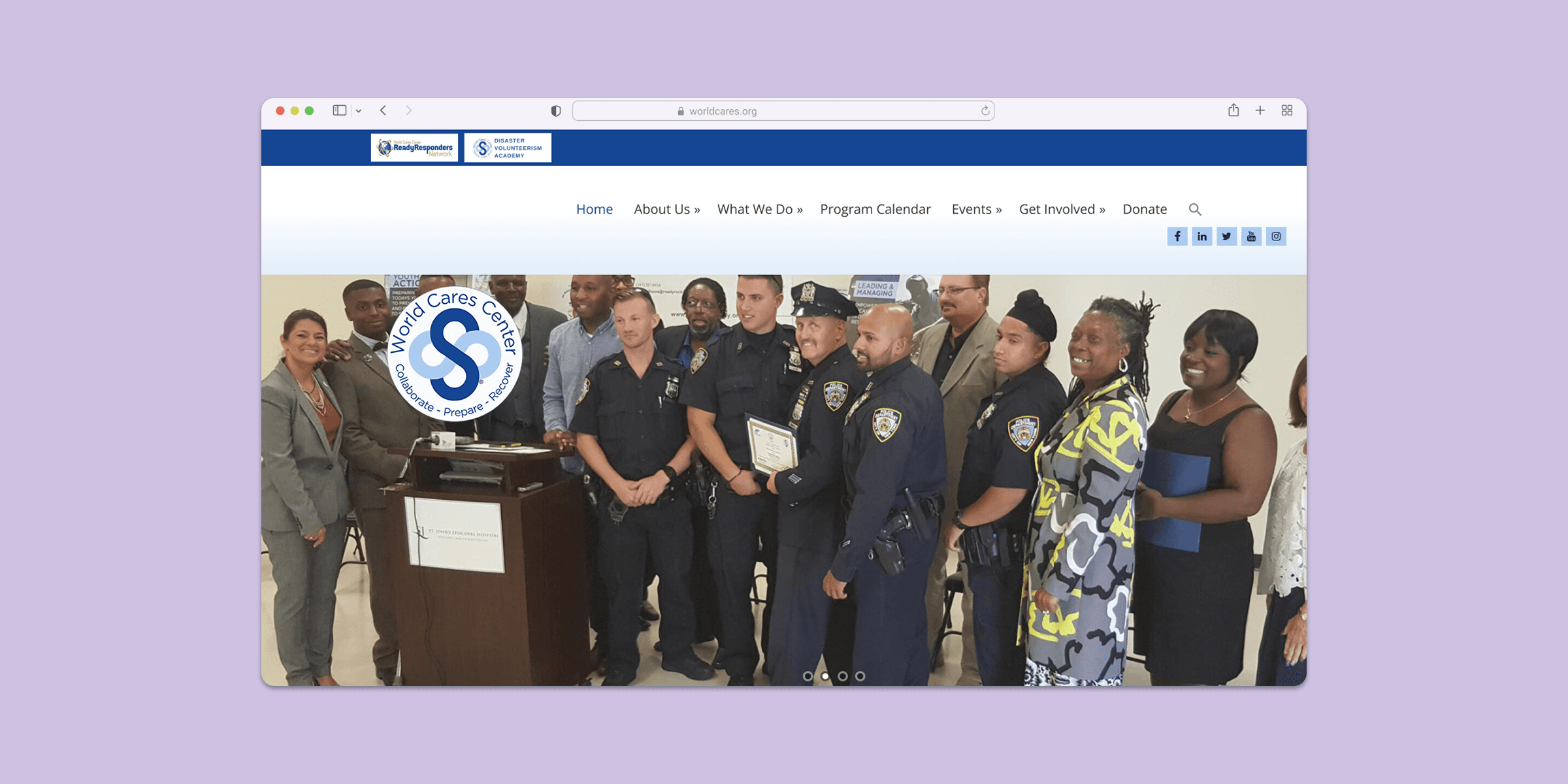
World Cares Center is a nonprofit that provides training, supplies, and relief to disaster stricken communities. When I joined the project, the organization's website was barebones, running solely with the help of volunteer developers and graphic designers.
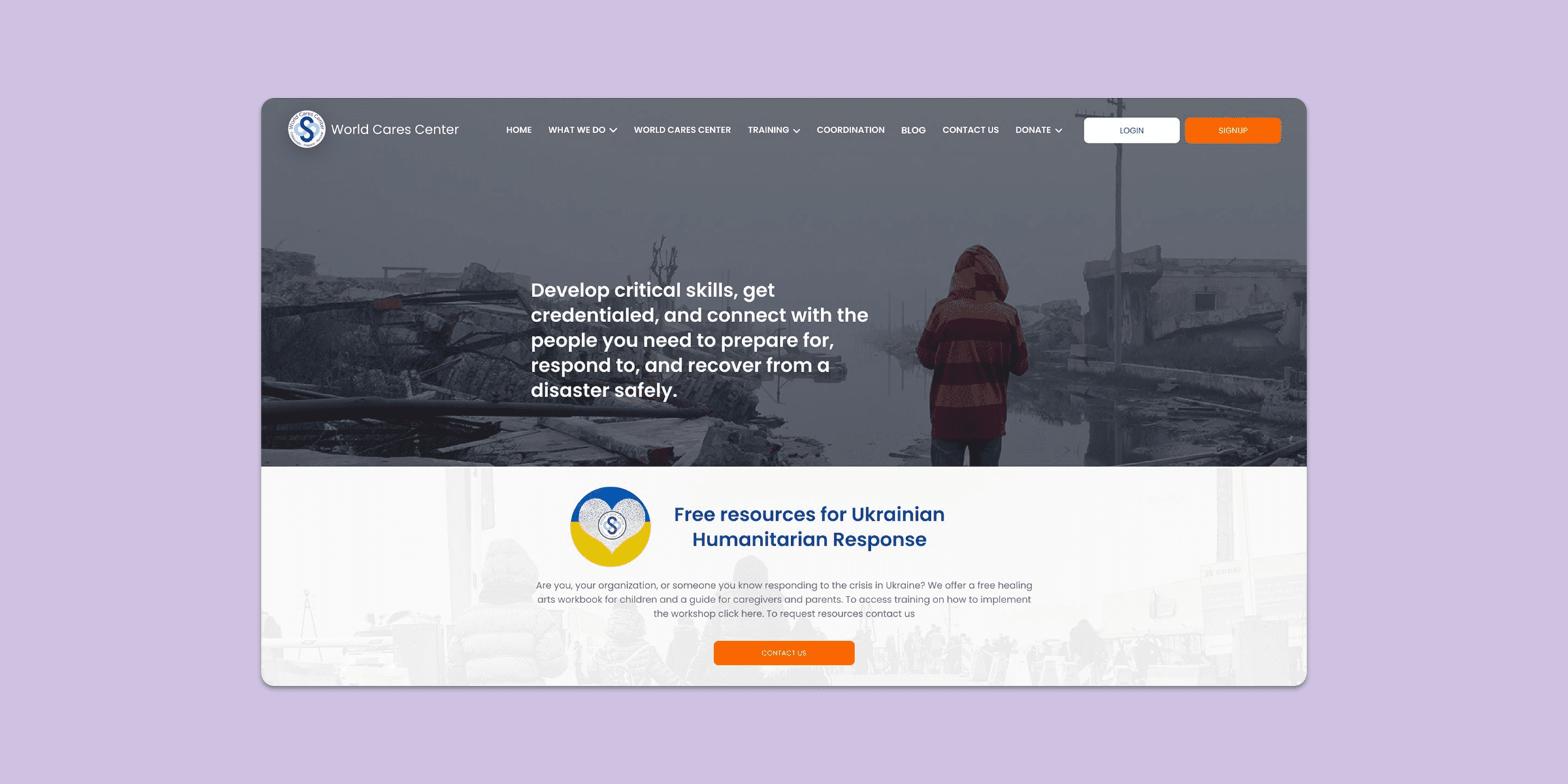
With the help of Flynaut, a web development agency, WCC was in the final stages of developing their volunteering portal. However, Flynaut was not contracted to work on their main website, which also needed a refreshed design. This is where I come in.
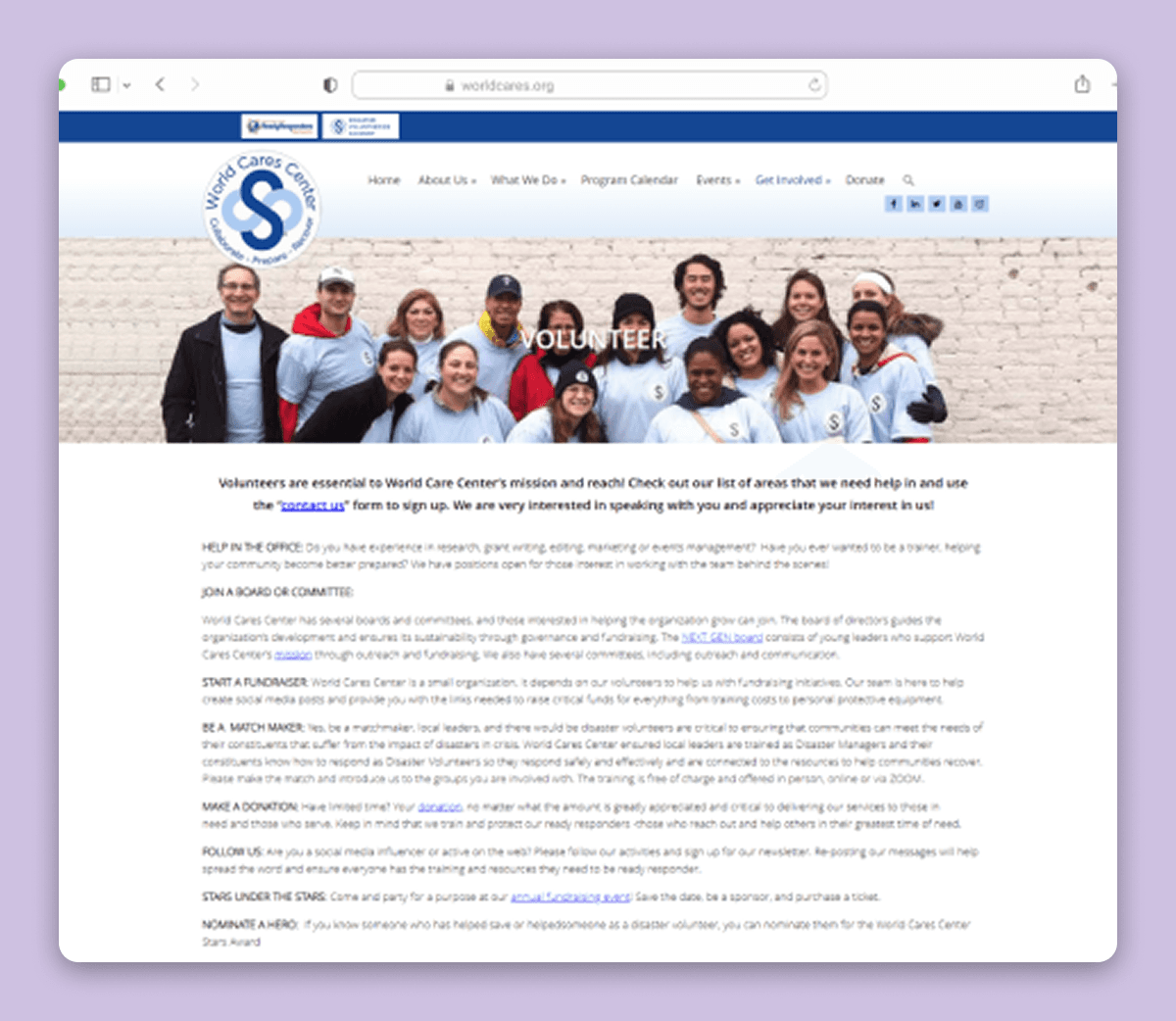
IMG
WCC's main site
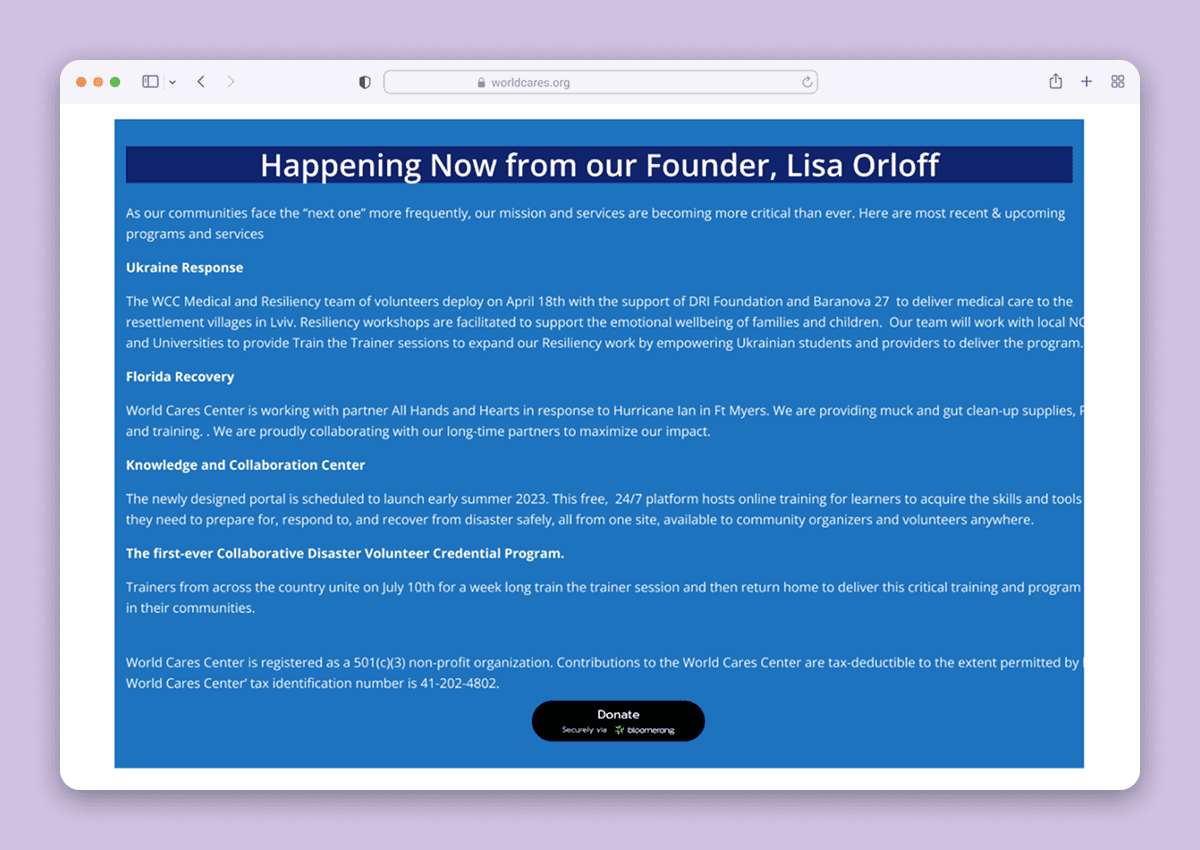
IMG
Volunteering portal built by Flynaut
DISCOVERY
Benchmarking the Performance of the Old Website
I ran a moderated usability test with 5 participants in order to benchmark the site’s performance. The participants indicated that the site was frustrating to navigate, induced headaches due to information overload, and featured an outdated visual design that contributed to an overall suboptimal user experience.
Homepage Feedback
"So I'm looking for the Disaster Relief Volunteerism Credential... I don't really know where to start, there is just a lot off the bat."
"I'm trying to click Board of Directors, but it keeps deselecting. It's annoying trying to hover over it [the nested tab] perfectly."
"It's pretty hard to read the white text over the photos. I have to strain to make it out."
"This site looks like it hasn't been updated since the early 2000s."
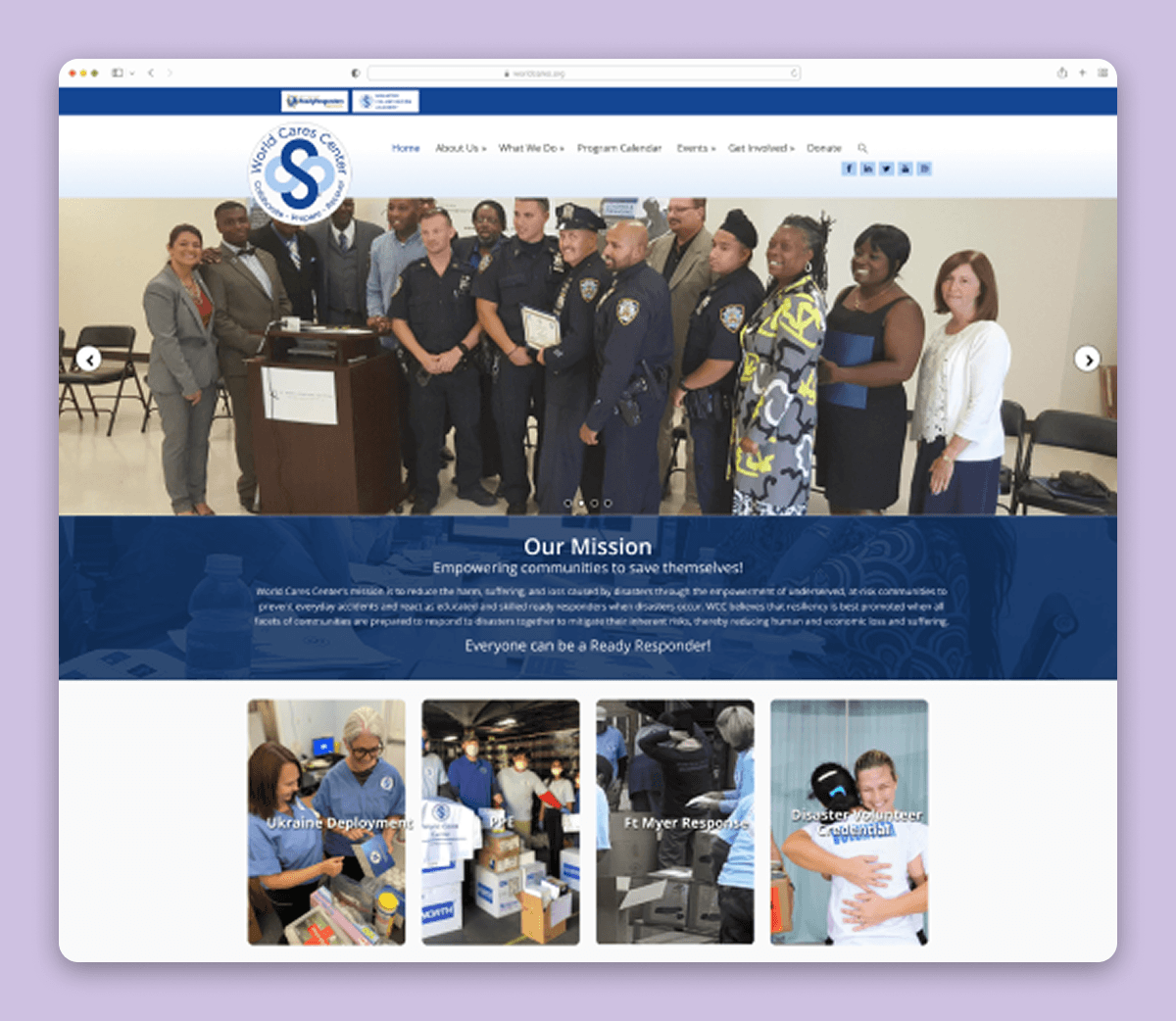
Become a Volunteer Page
"Wow that is a huge wall of text. Yeah, . . . I'm not even going to try to read that."
“If I wasn’t doing this [moderated usability test], I would have clicked off already.”
Donation Page
"Wow that donation button is pretty small, and aren't they usually at the top of the page?"
"Do I click it [donation button] if I want to donate to Ukraine? Or is it a general donation button to like, the organization?
"How do I know my money will go to the right cause?"
Analytics Confirmed Low Site Engagement
When I ran Google Analytics on the site, the data indicated that users tend to click off the site pretty fast. When they do stay, they visit only a few pages, making discoverability of the volunteer and donation pages critical.
63.92% Bounce Rate for New Users
2.09 Average Pages Visited Per Session
0.77% View Rate for the Volunteer Page
PROBLEM STATEMENT
How might we redesign World Cares' main website to drive more engagement, donations, and volunteer sign ups?
KEY INSIGHTS
Major Findings & Uncovered Insights
I synthesized all of my research using affinity mapping and uncovered many pain points users encountered during their experience. Below are the top three grievances I chose to focus on:

Poor Navigability
Users had a hard time finding the information they were looking for. In particular, the information architecture and navigation bar of the site were especially confusing. Unclear labeling, redundant categories, nested tabs in nested tabs, among other things were the main causes of grief.
No Visual Hierarchy
Text walls and insufficient contrast made the content hard to read. Additionally, the main CTA buttons had little to no visual prominence; this results in low conversion for both donations and volunteer signups.
Inconsistent Visual Language
Alignment issues, inconsistent elements, and illogical design patterns all contributed to a sub-optimal user experience.
IDEATE
Exploring Solutions to Research Findings
Narrowing the scope of the project allowed me to target solutions that would improve the website the most. By focusing on these goals, I can ensure my subsequent design decisions are grounded in user research and solve the problem.
Finding
Solution
Notes
Navigability
Redesign information architecture
The information architecture should minimize user burden. Additionally pages should be easily discoverable.
Navigability
Eliminate redundant pages
The current navigation bar is bloated with redundant pages and categories. Reducing them should streamline site navigation.
Visual Hierarchy
Group text into buckets
Grouping related text into buckets should eliminate large text walls that are hard to read.
Visual Hierarchy
Prominent CTAs
Increasing the visual prominence of the main and secondary CTAs (volunteering & donating) should increase conversion.
Visual Hierarchy
Ensure adequate color contrast
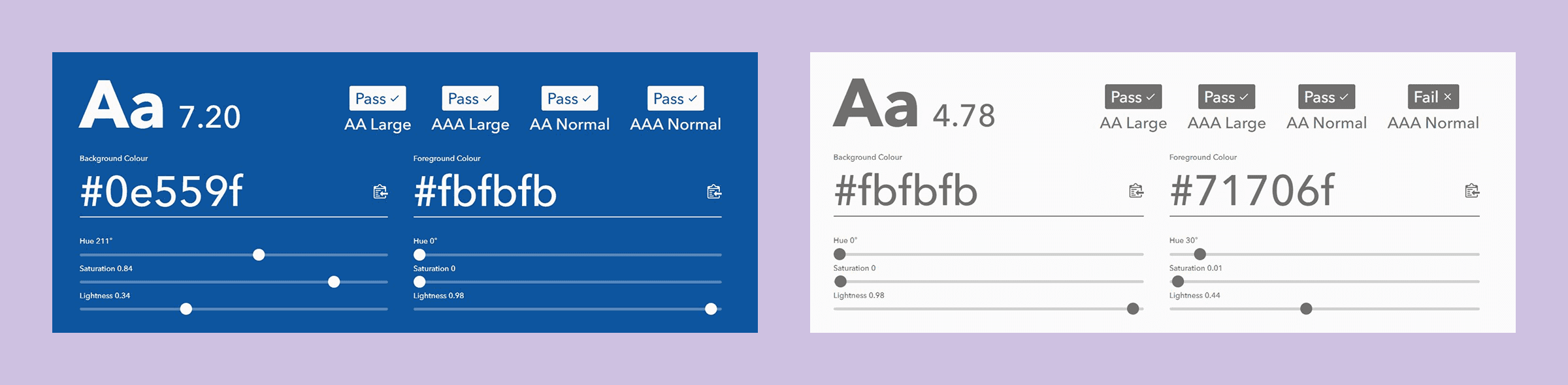
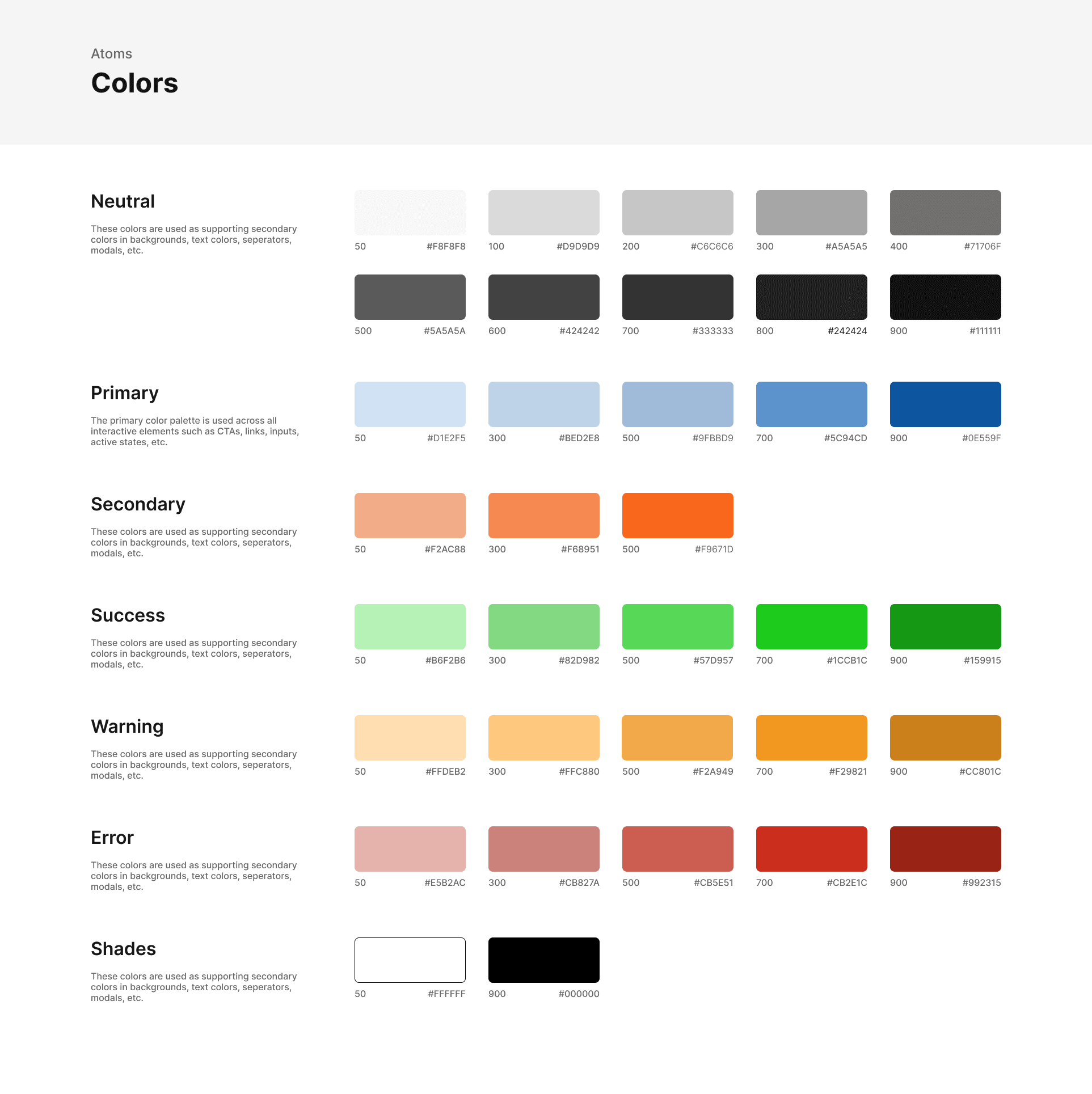
To design for accessibility, text and background colors should have a least a WCAG AA rating (4.5:1 for normal text).
Consistency
Design system
Introducing a design system ensures all components and elements are consistent across pages.
EXECUTE
Finding #1: Navigability
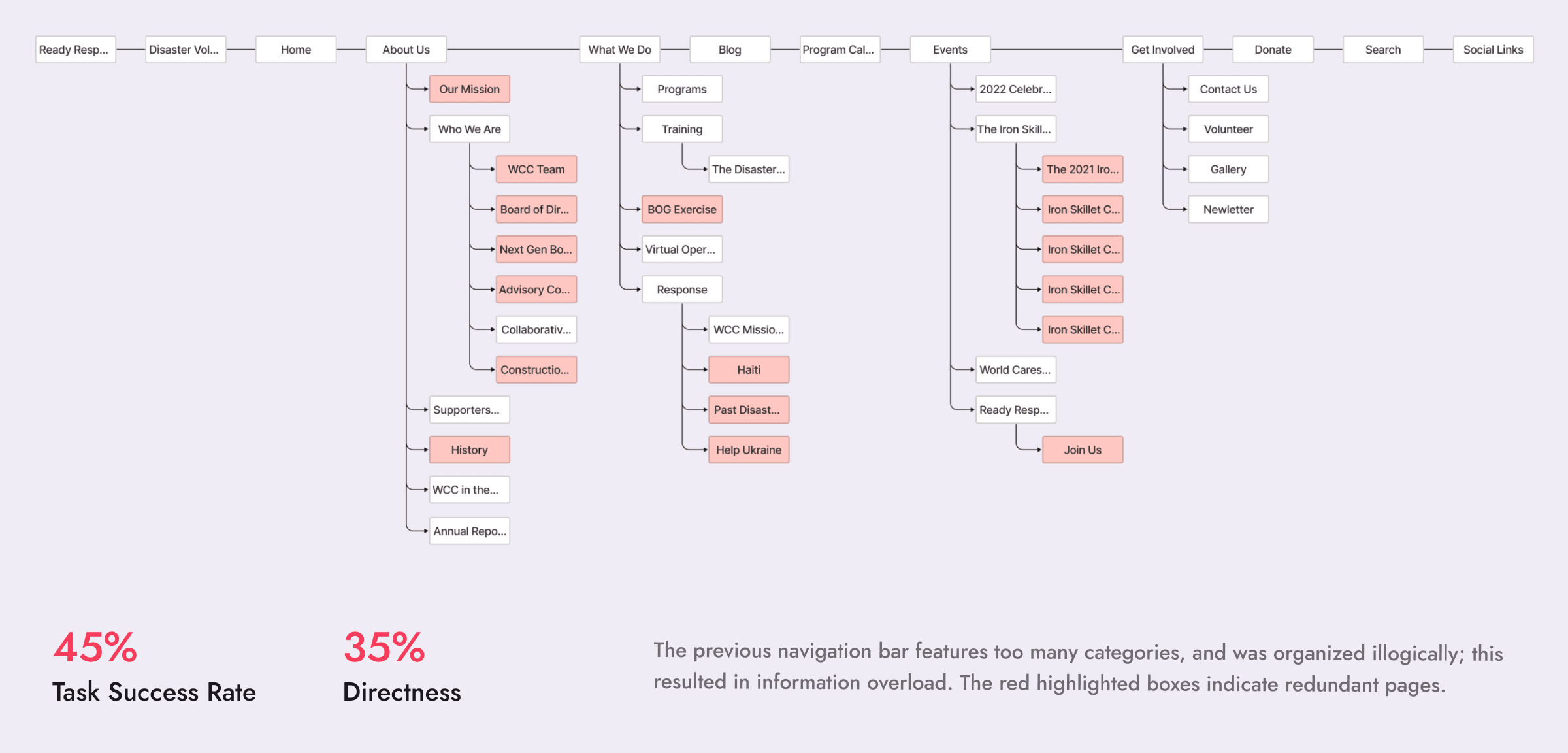
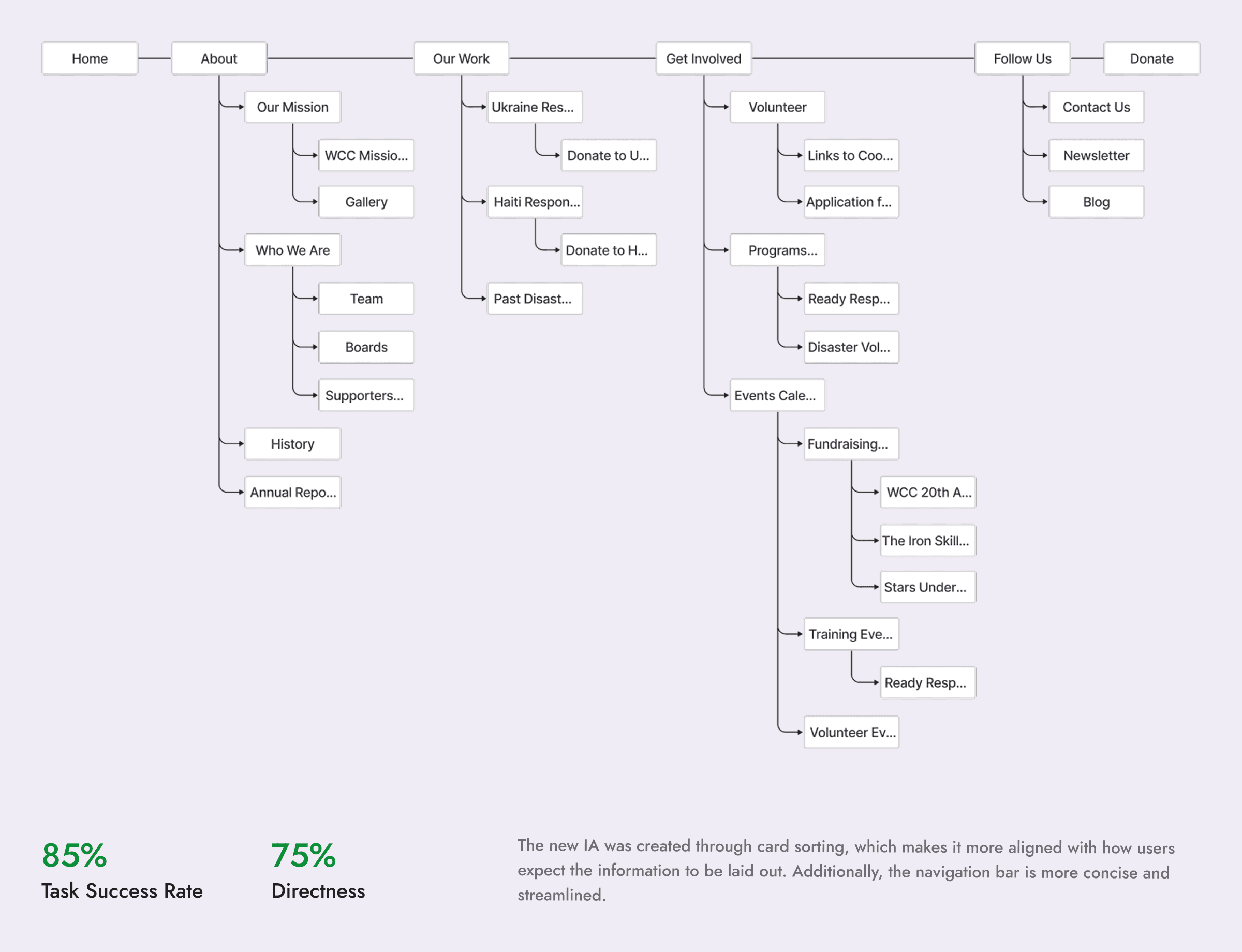
In order to develop an information architecture that aligned with users mental models, I conducted a hybrid card sorting exercise with 10 participants. Then I tested my new IA against the old one using an A/B tree test with 10 unique participants for each side.
IMG
The old information architecture represented in a tree
IMG
The new information architecture represented in a tree
Finding #2: Visual Hierarchy
Excessive text walls led to a significant drop in engagement. Additionally, the sheer volume of information presented posed a challenge for users to retain, due to the overwhelming cognitive load imposed by the content.
The previous design received feedback that it was unengaging and intimidating to read. And since the site features a large amount of information, this feedback was quite concerning.
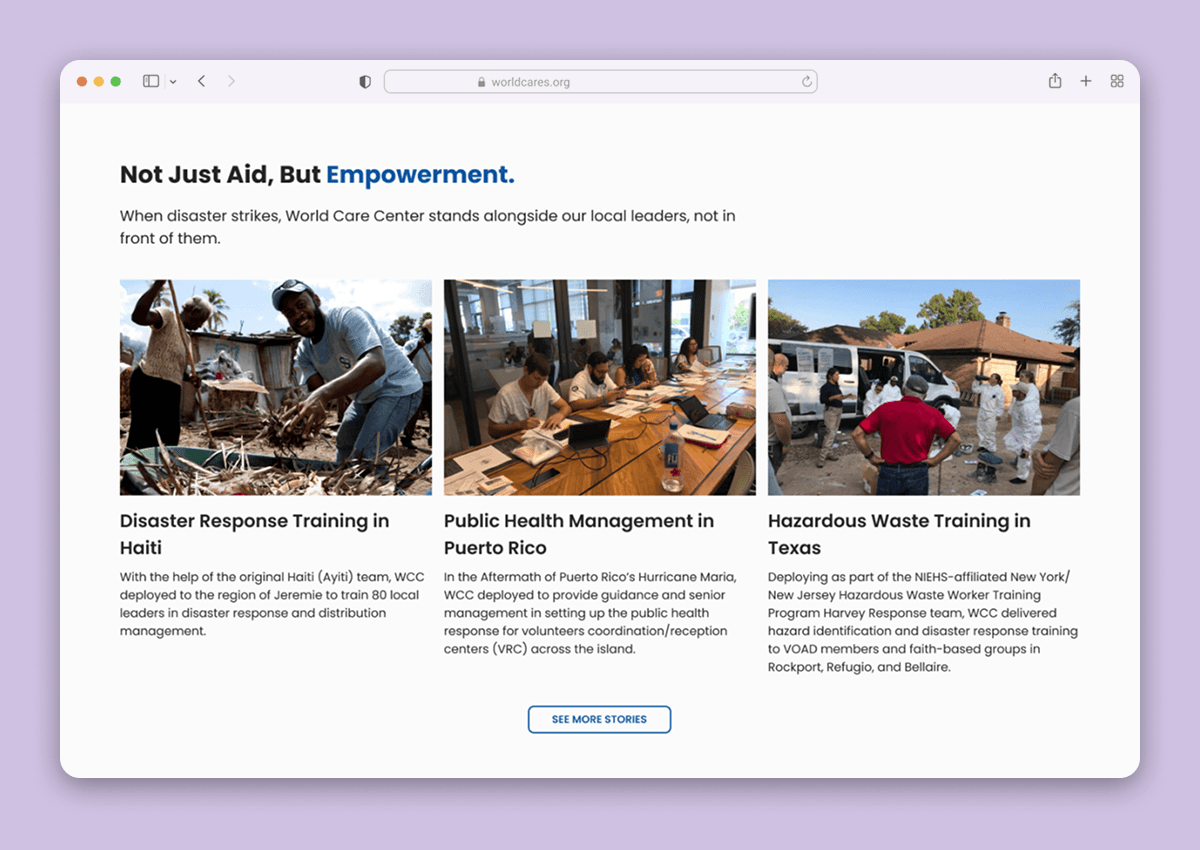
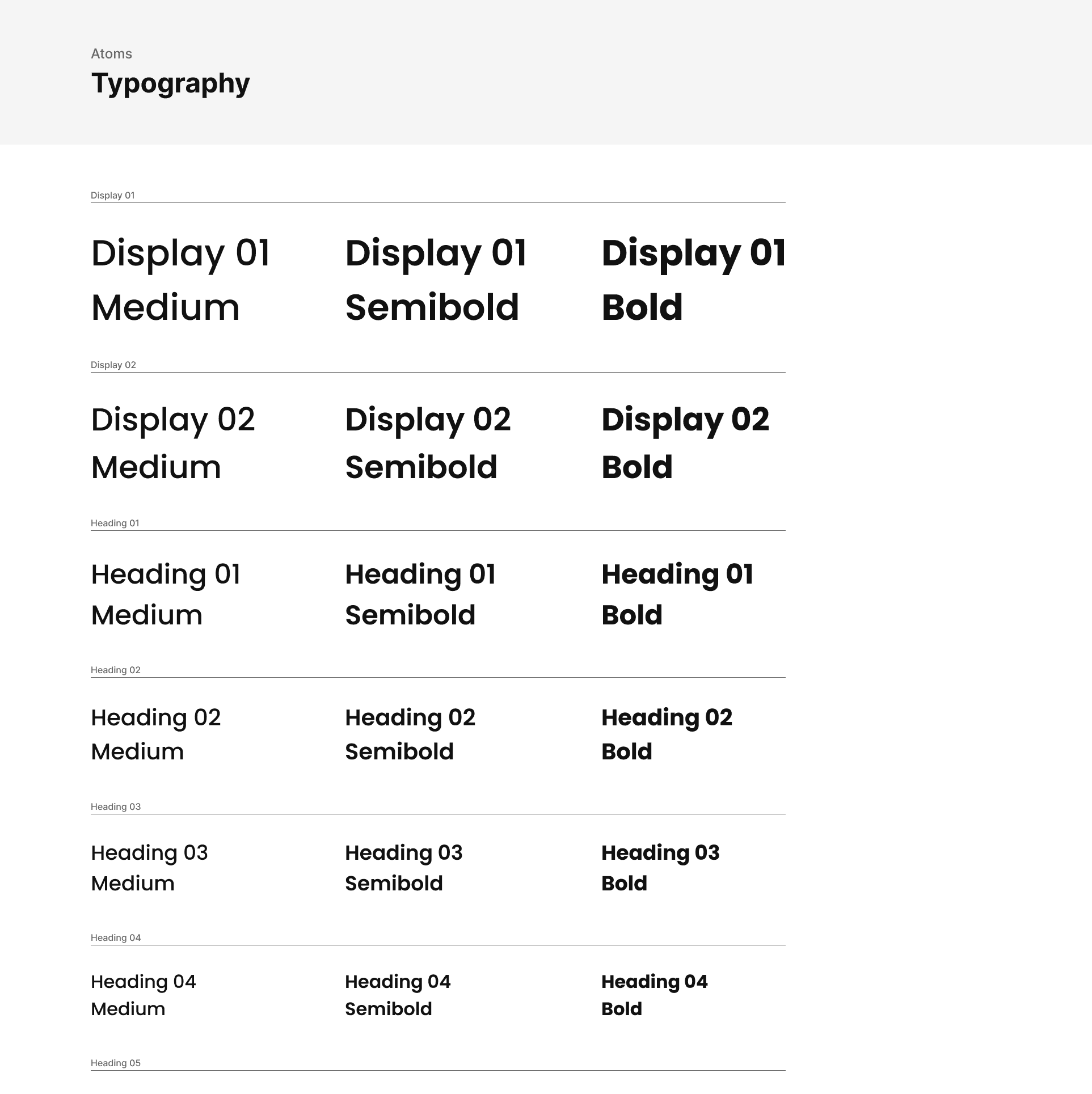
I refined the copywriting and used typography (font size, weight, color, etc.) to introduce visual hierarchy. Additionally, I added images to make the text more intriguing.
Increasing Prominence of Main CTA Buttons
The 3 main actions that World Cares Center wanted its users to achieve were: signup as a volunteer, make a donation, and learn more about the organization. Users found all three actions were difficult to accomplish.
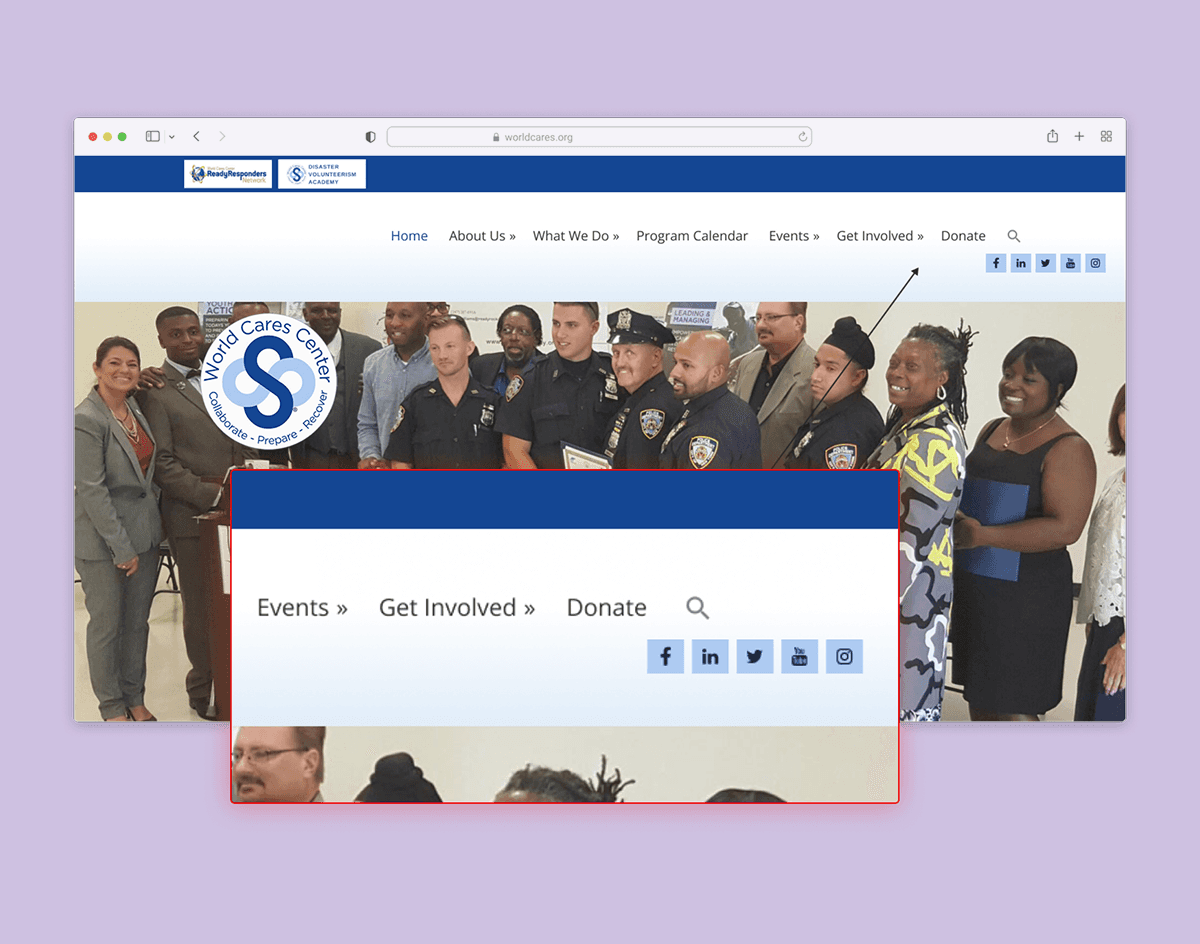
On the navigation bar, get involved and donate had the same level of prominence as all other items. Moreover, the donate button on the body of the page was hidden far down the page and did not stand out.
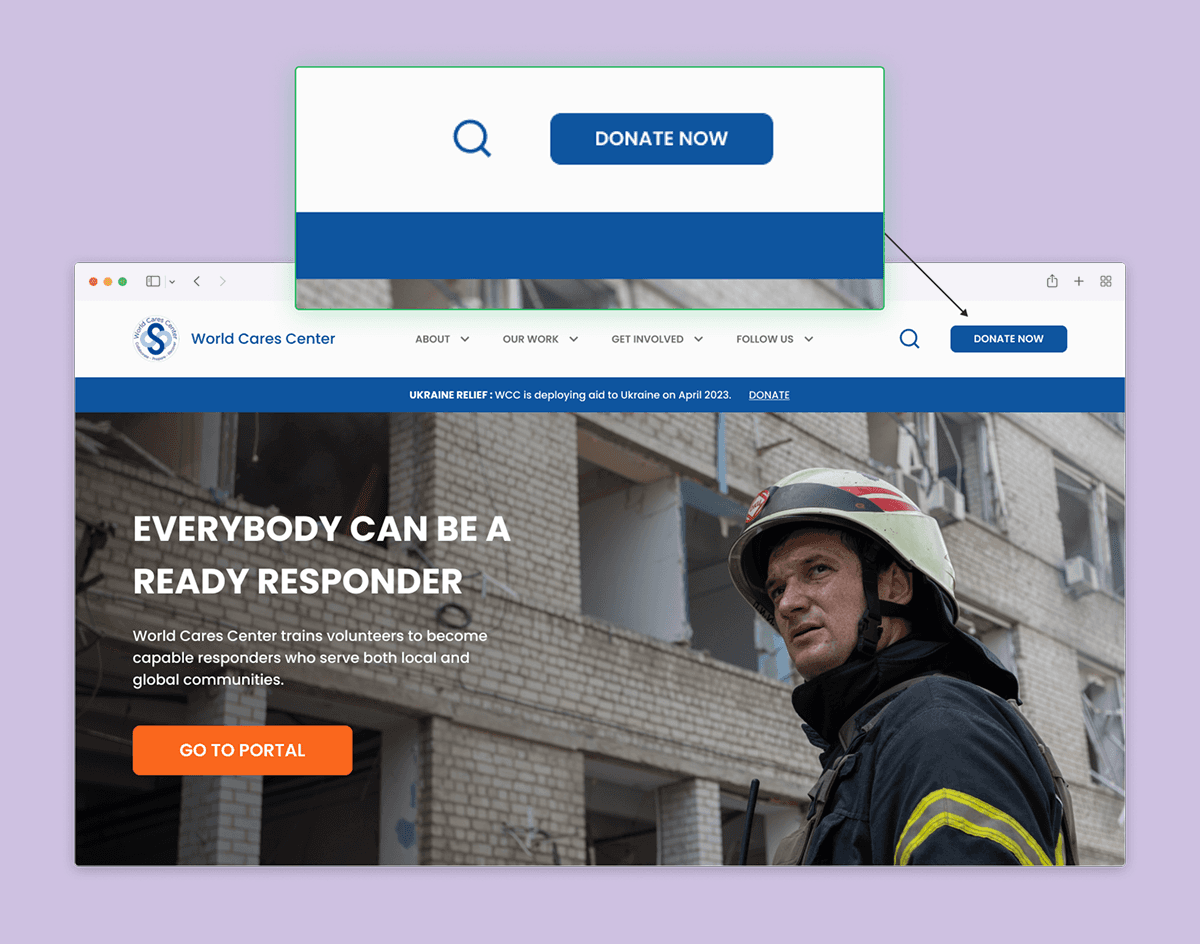
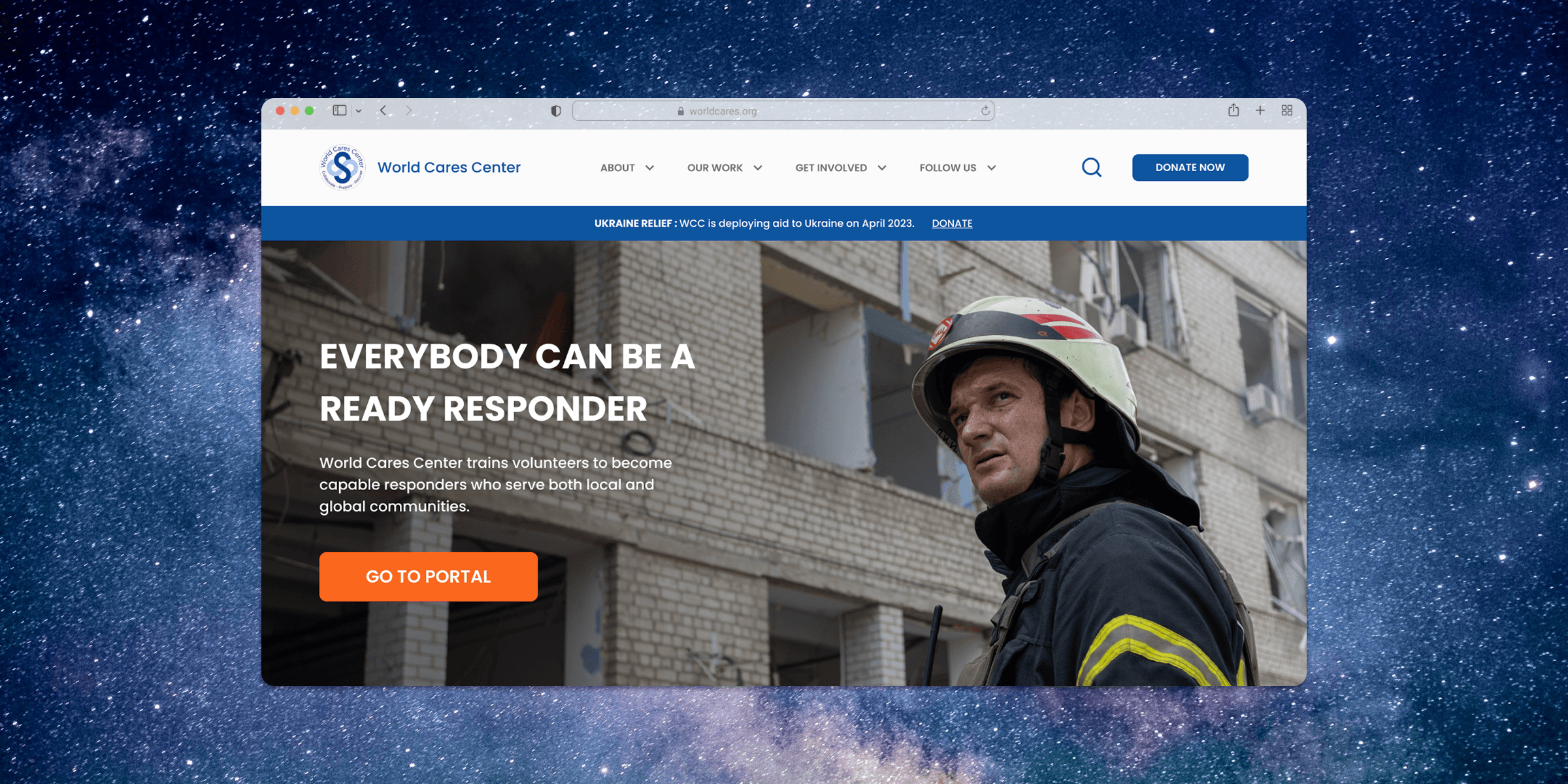
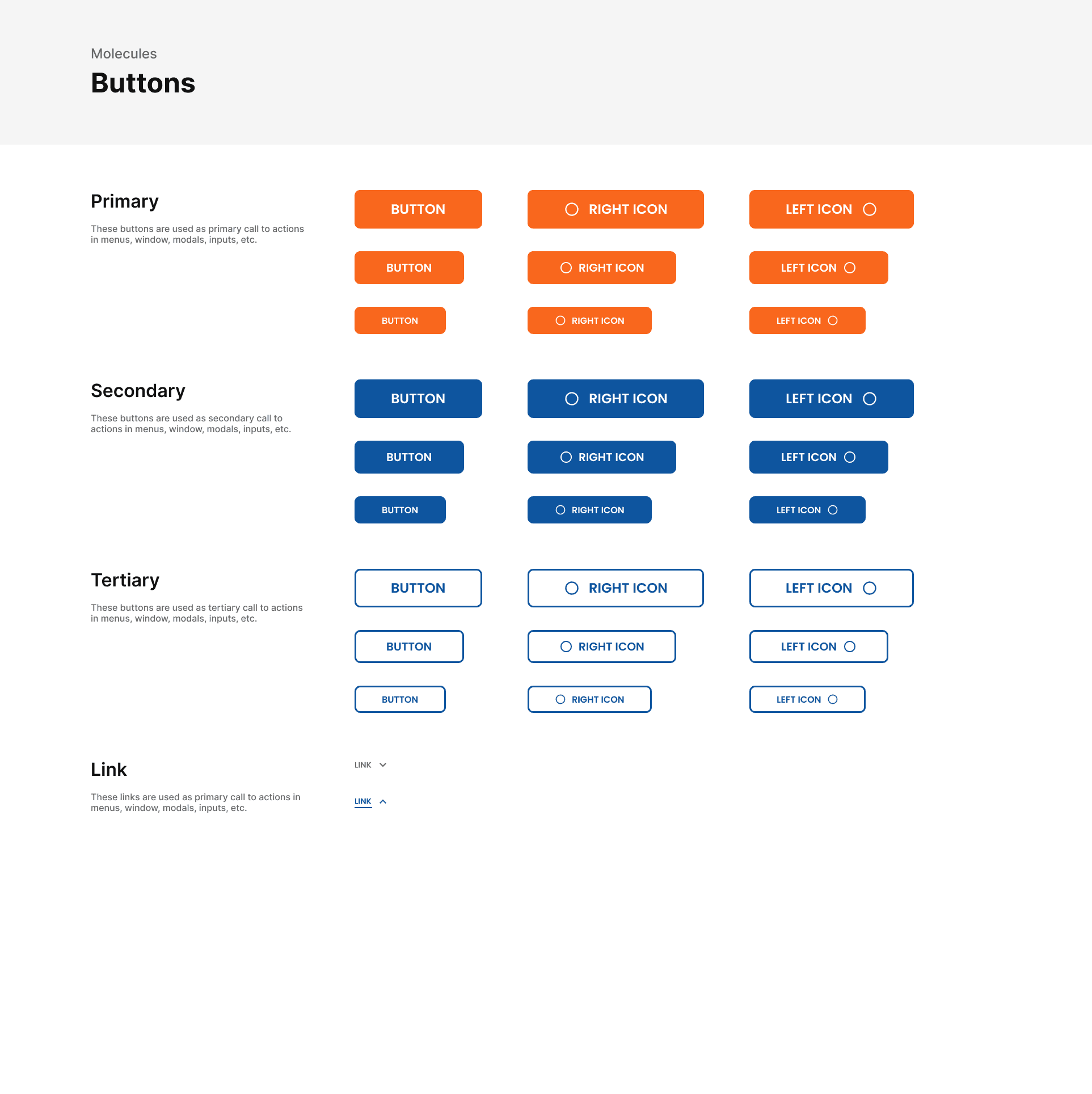
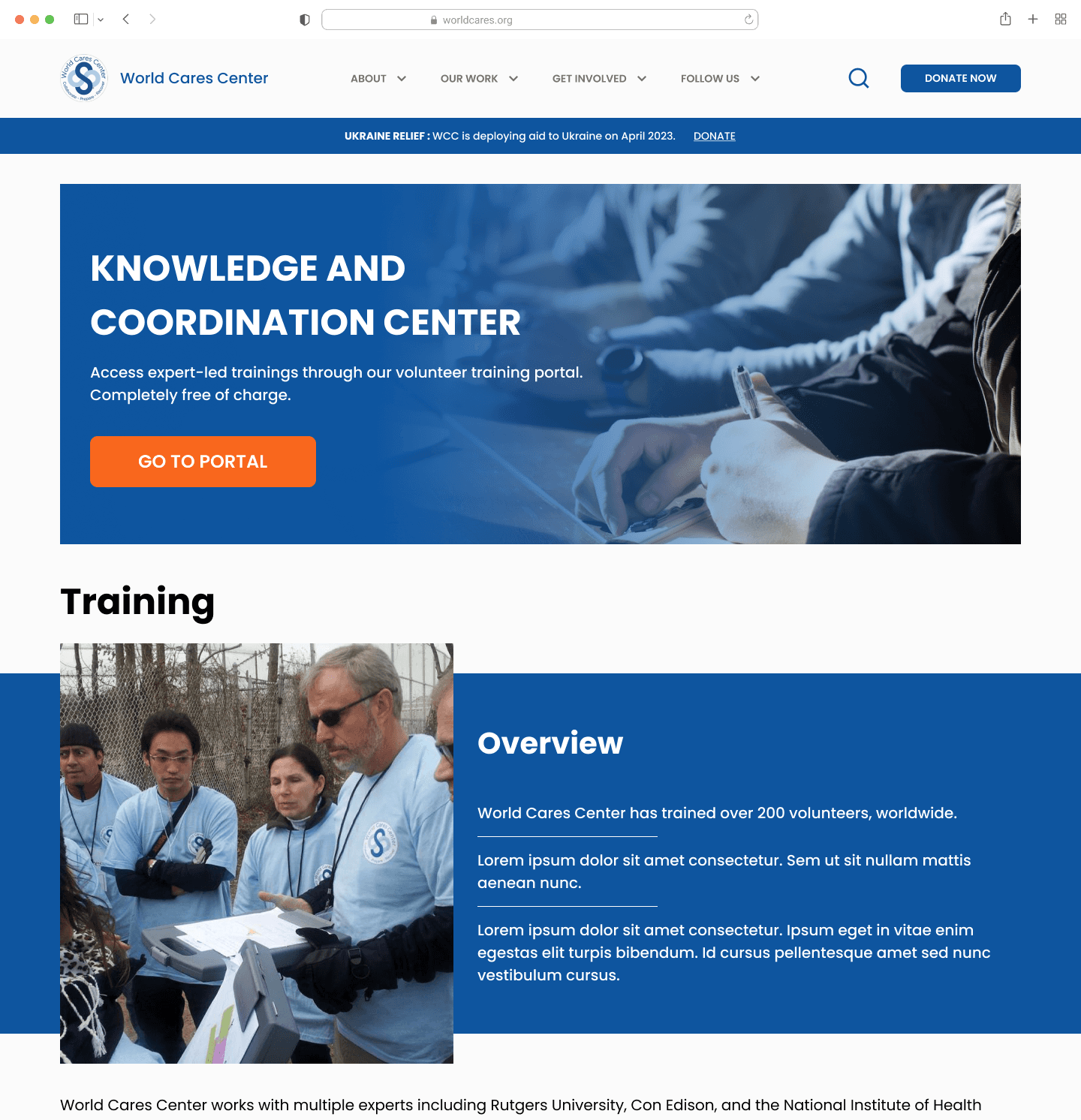
I created a "donate now" button that stood apart from the other items in the navigation bar. Additionally, a "go to portal" button was added to the hero banner on the homepage.
Ensuring Adequate Color Contrast
Many of the text and UI elements did not meet the WCAG standards for color contrast in accessibility. This contributed in visual strain when trying to read content on the site. I went back and ensured my design met at least the AA standard.
Finding #3: Consistency
I created a comprehensive design system according to atomic design principles. This helps WCC design more pages in the future after I am gone. Additionally, it helped speed up my own design process.
ITERATE
Usability Testing – Findings & Iterations
I conducted another usability test with 5 new individuals. I was mainly looking to test navigability and comprehension of the content on the new site. I uncovered some areas for improvement which are shown below.
Iteration #1: Clarifying WCC's Functions
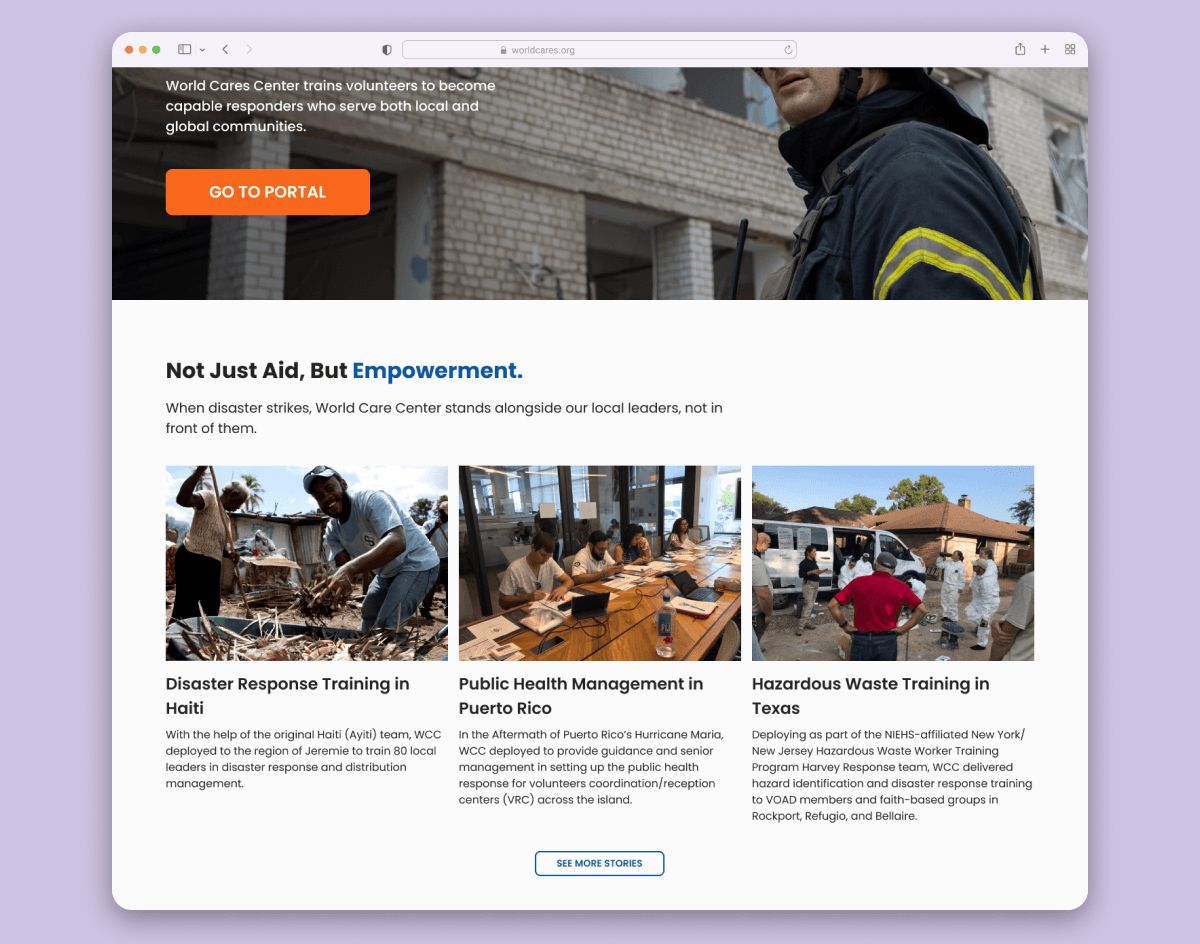
Many users thought that World Cares Center's only function was to provide disaster relief aid through deploying volunteers.
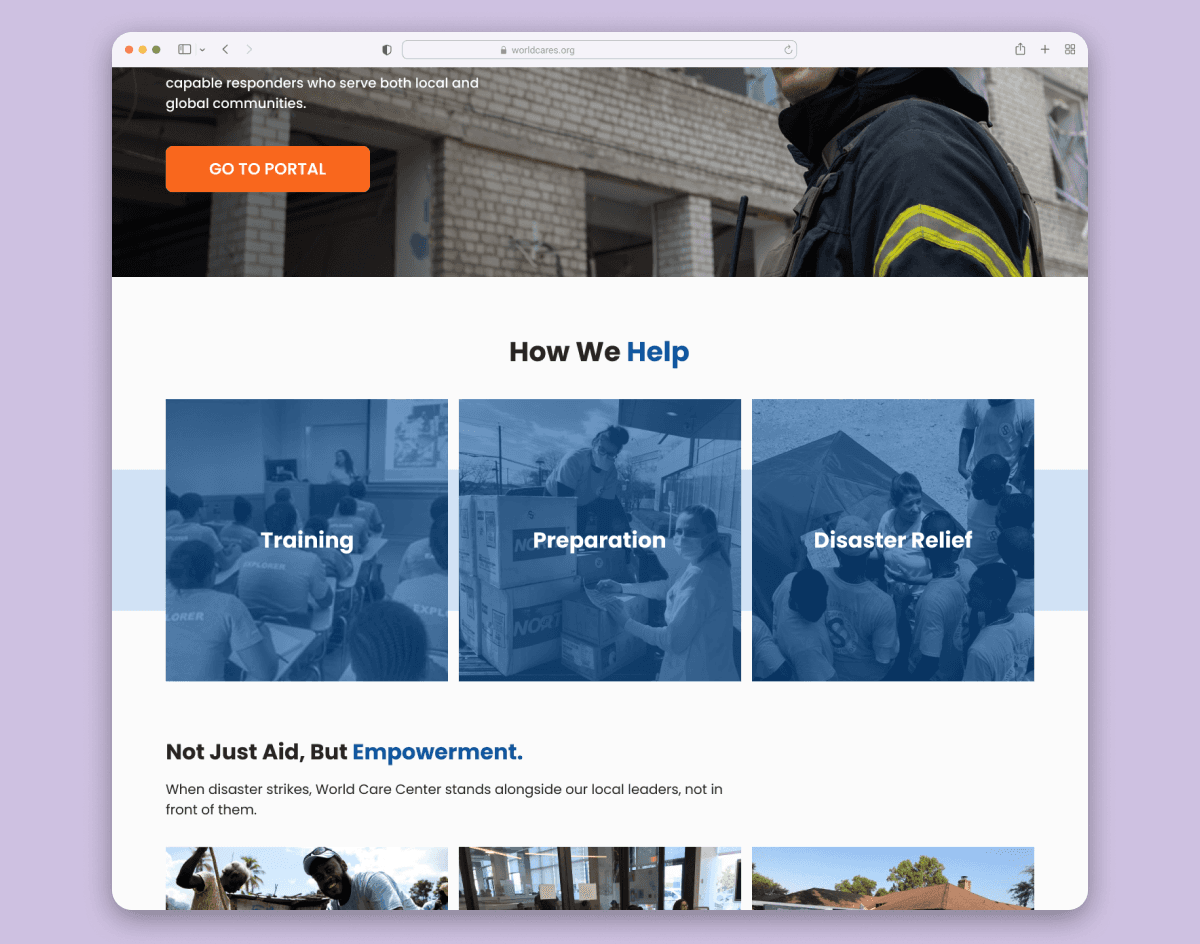
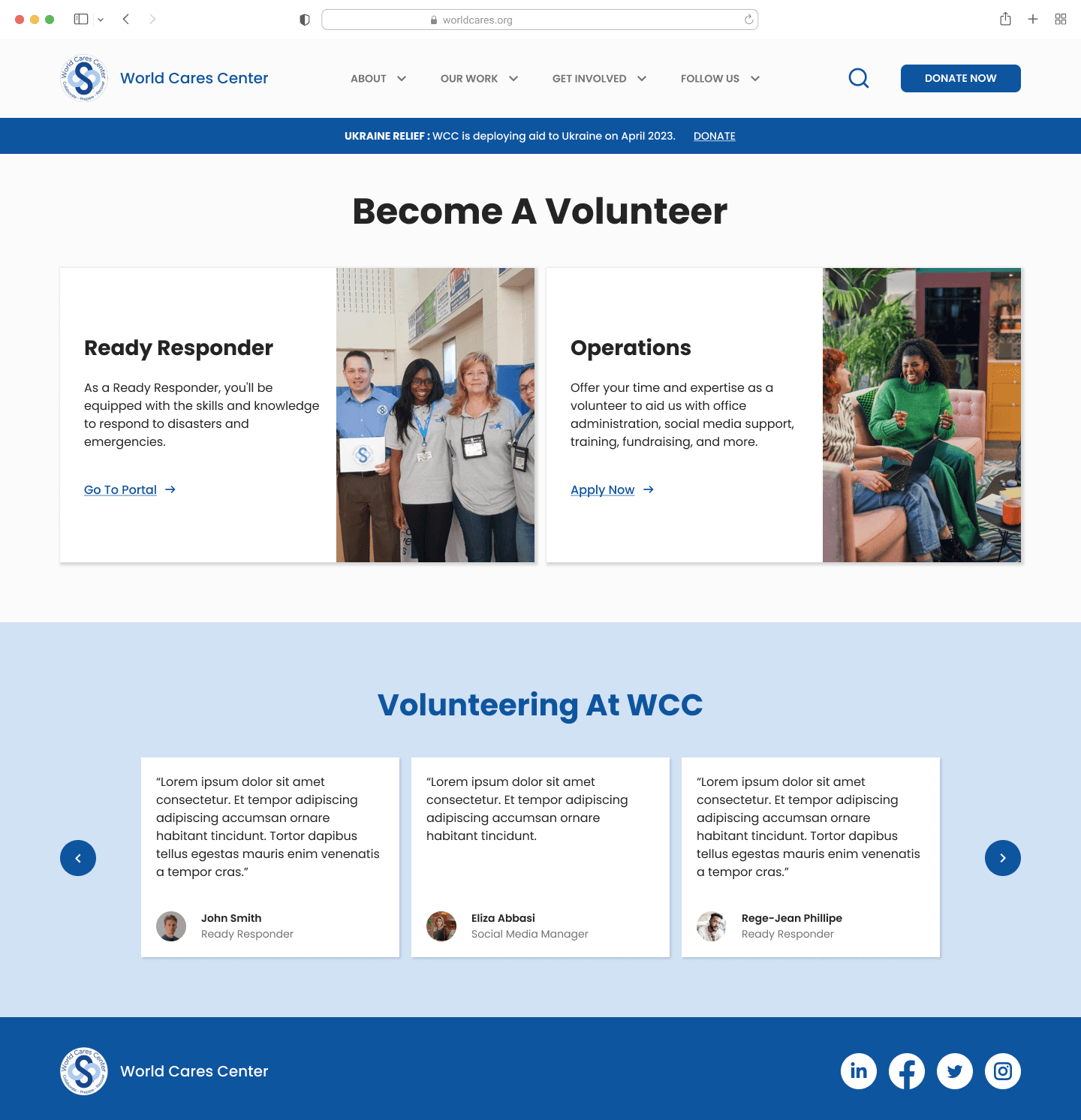
I added cards to the design to clarify the 3 main functions of World Cares: training volunteers, stockpiling emergency items, and deploying volunteers.
Iteration #2: Making a Distinction Between Different Volunteering Roles
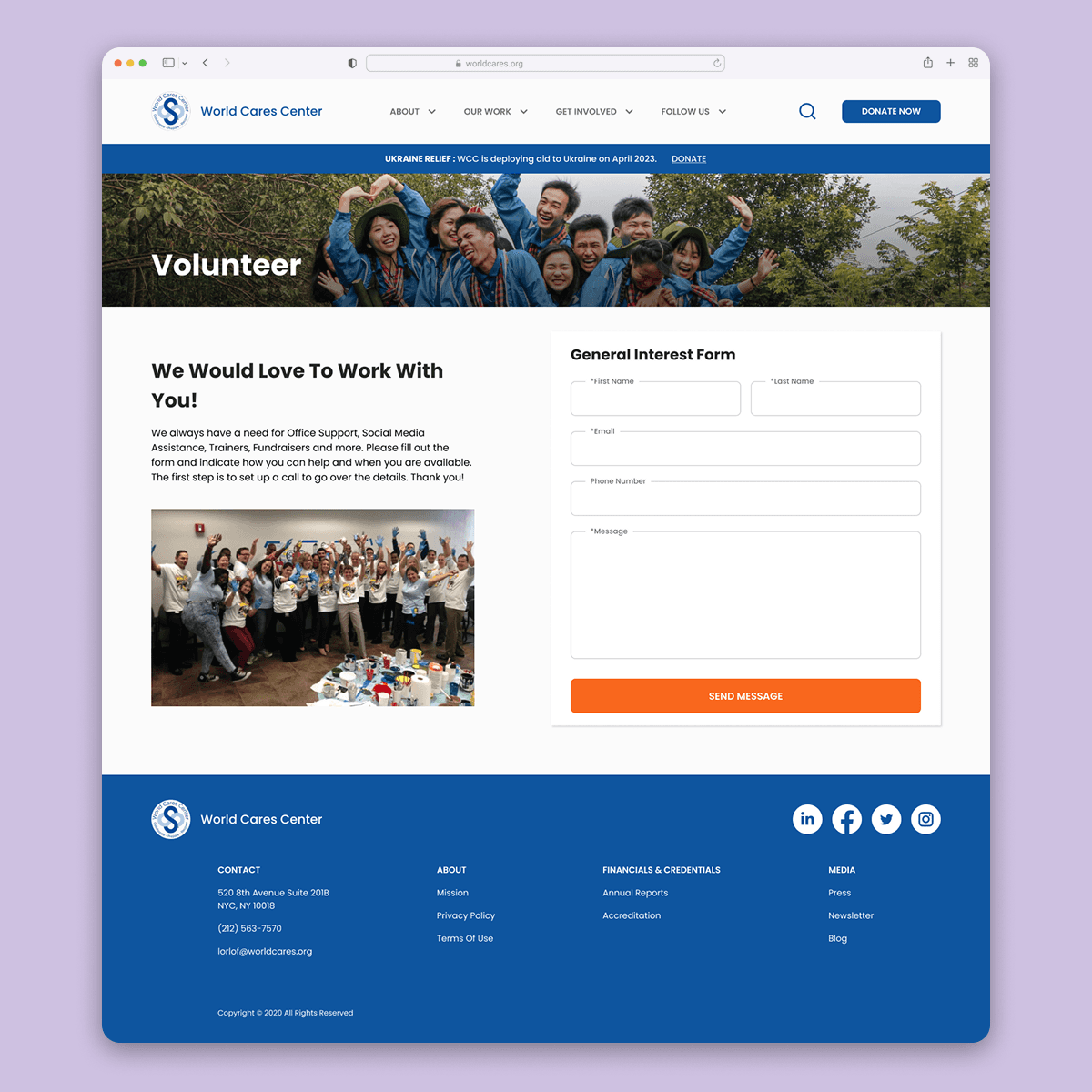
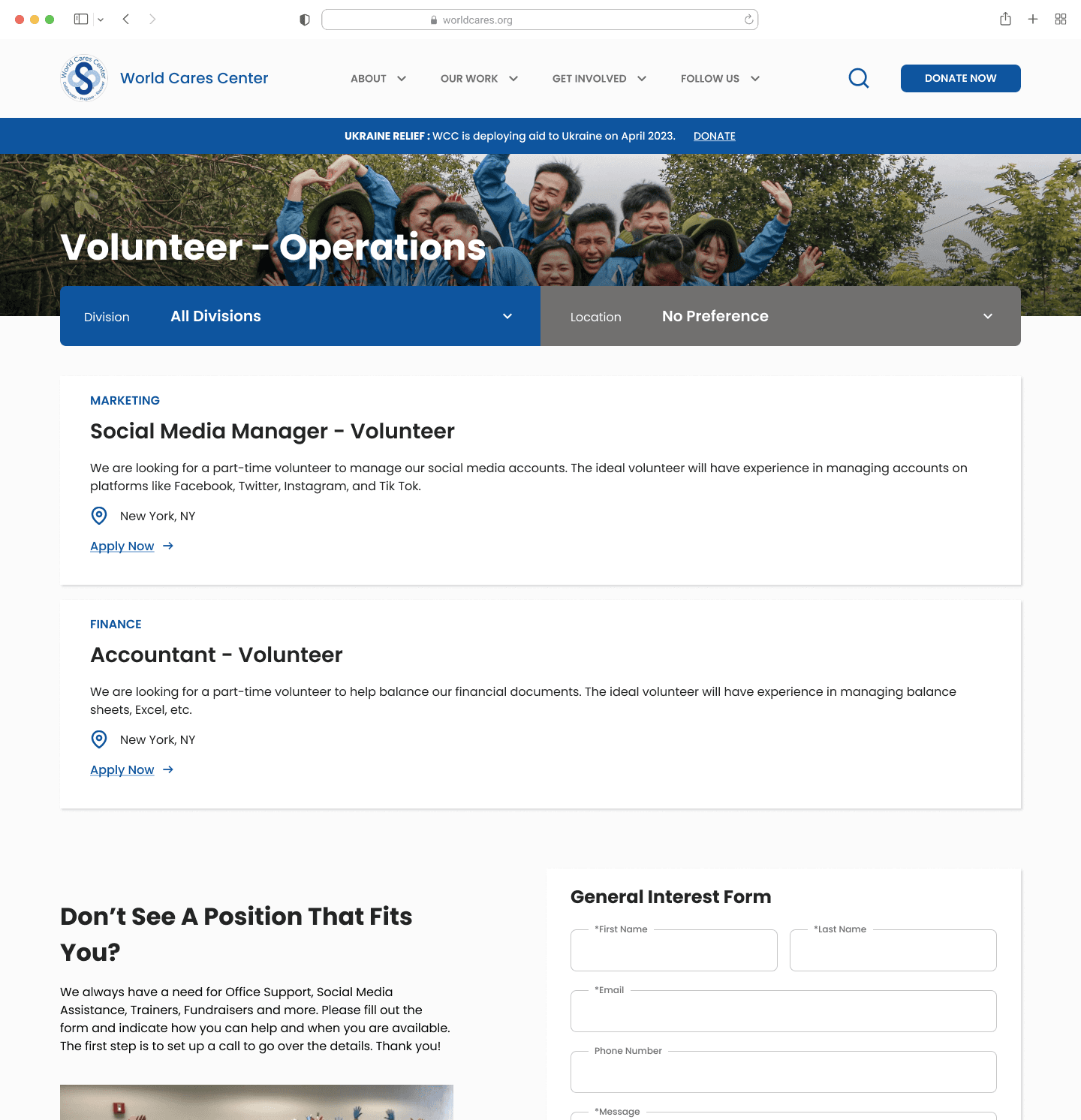
Many users thought that World Cares Center's only function was to provide disaster relief aid through deploying volunteers.
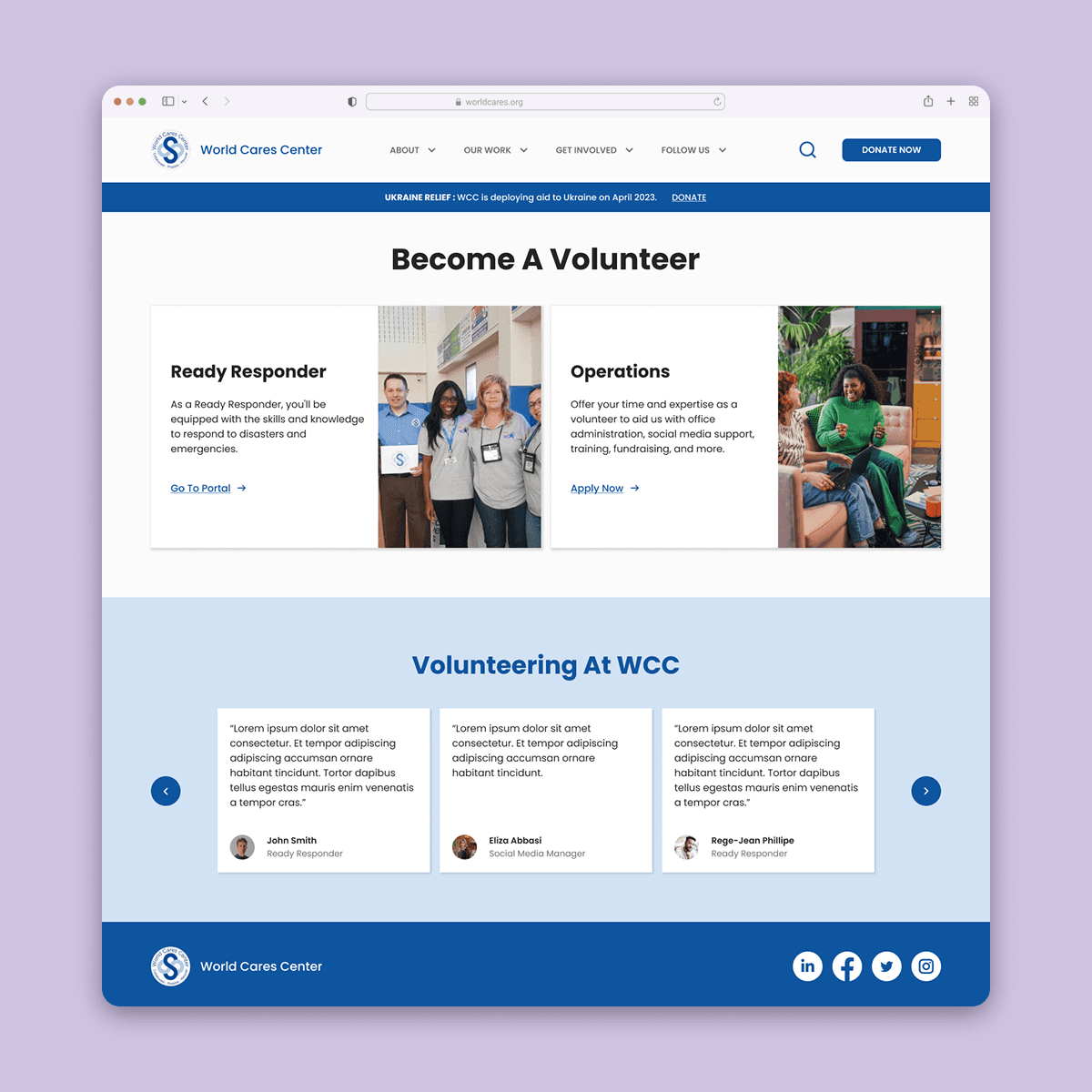
I added cards to the design to clarify the 3 main functions of World Cares: training volunteers, stockpiling emergency items, and deploying volunteers.
SOLUTION
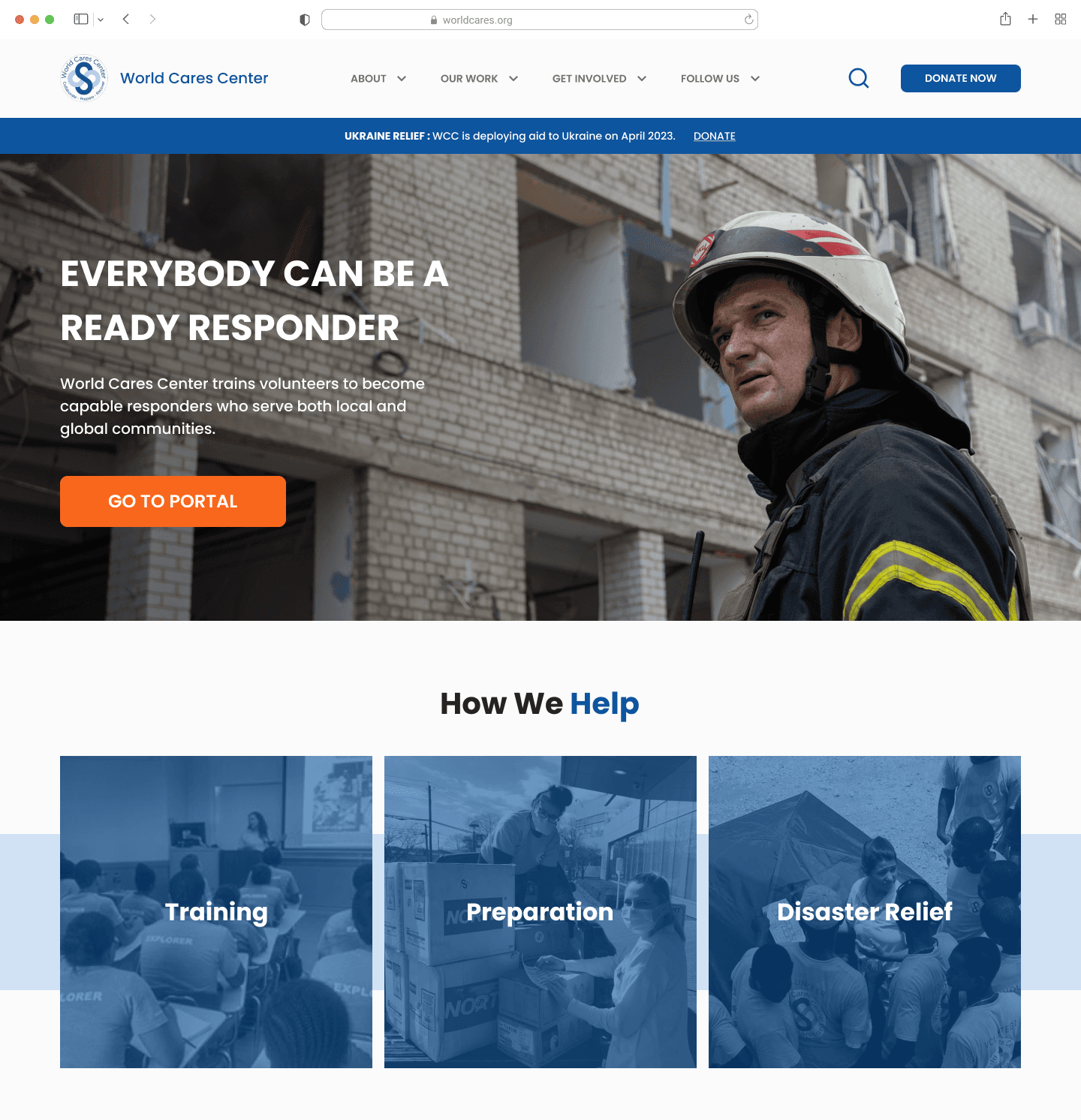
Final design – a Revamped Website
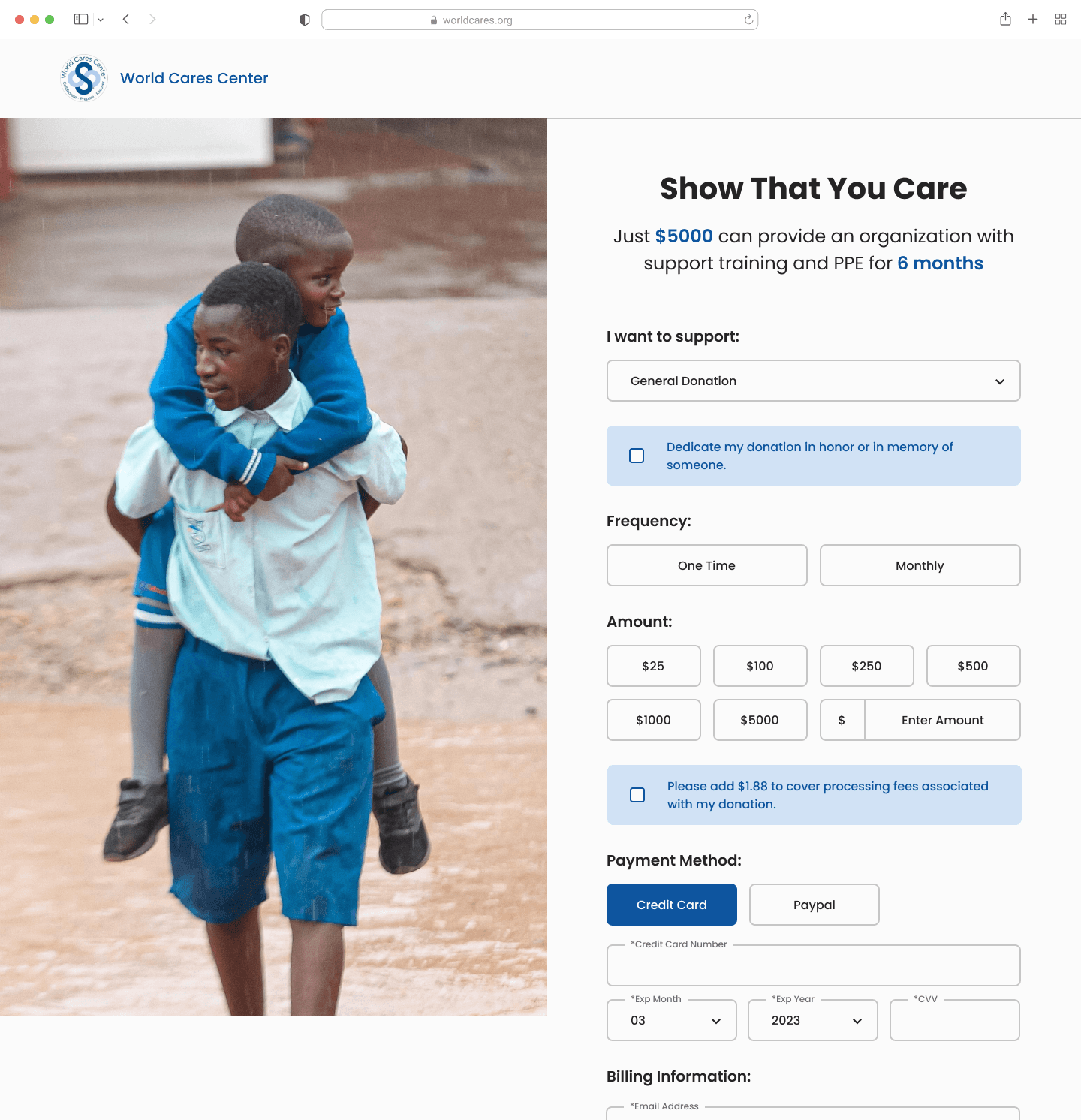
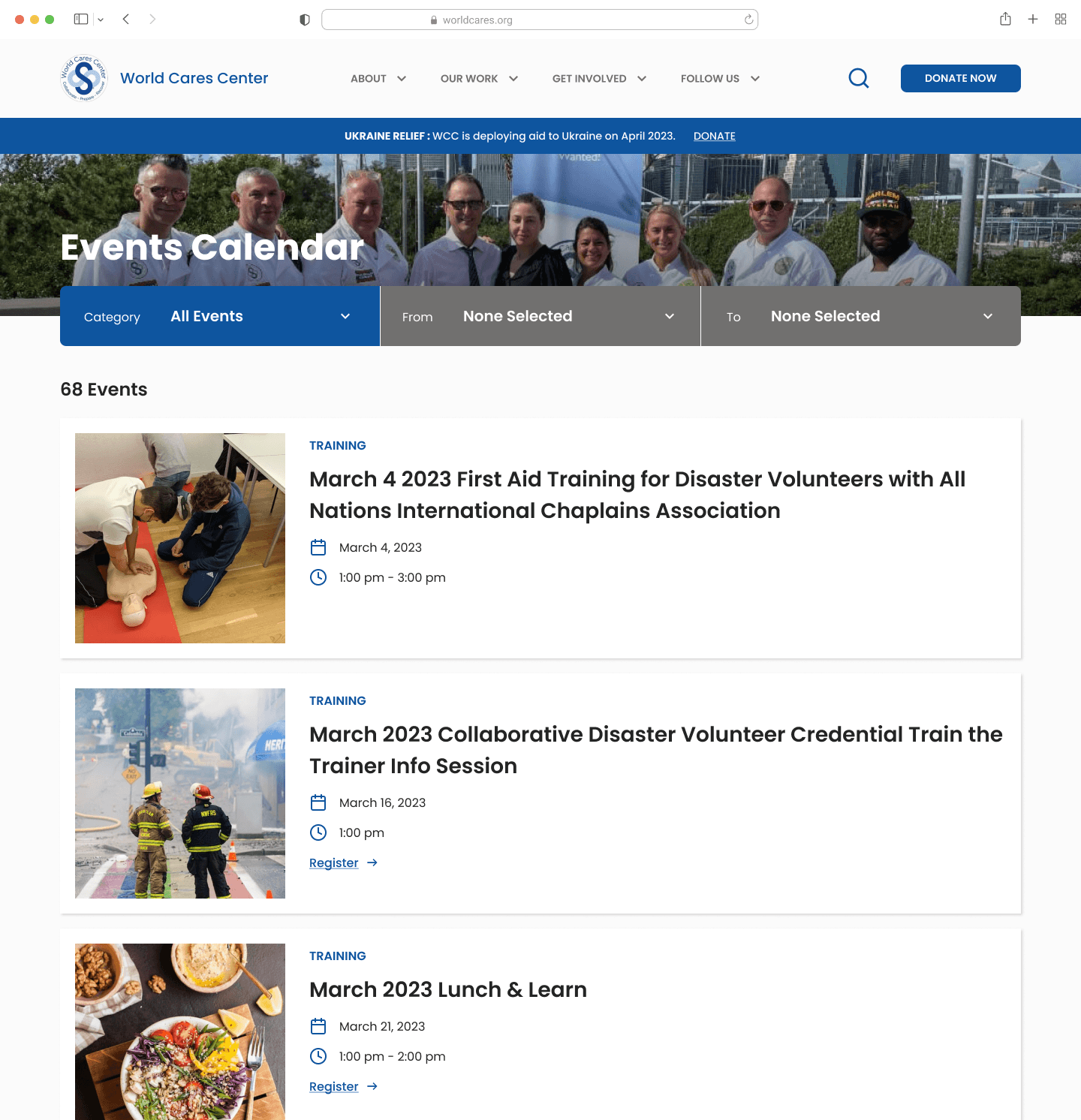
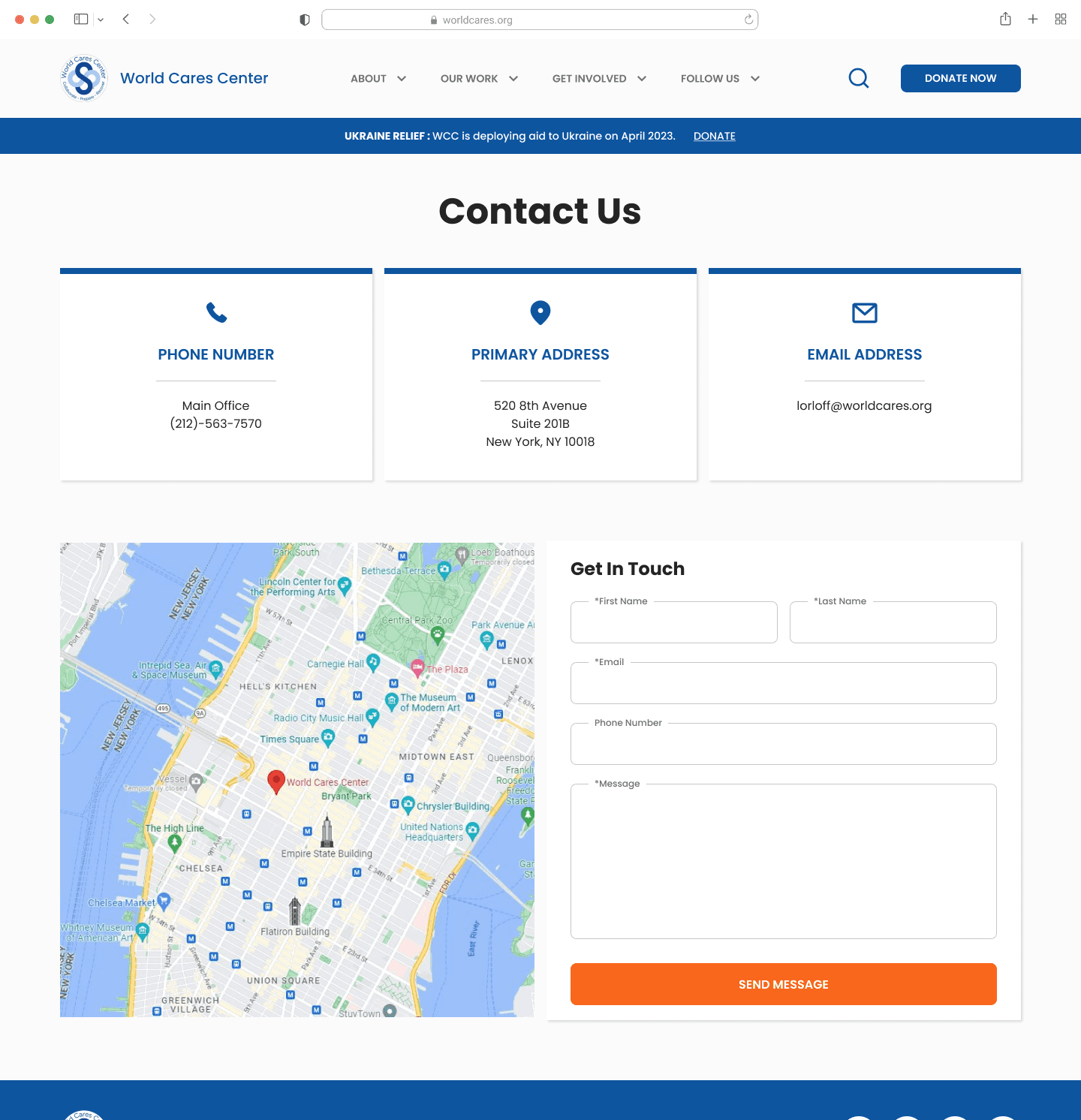
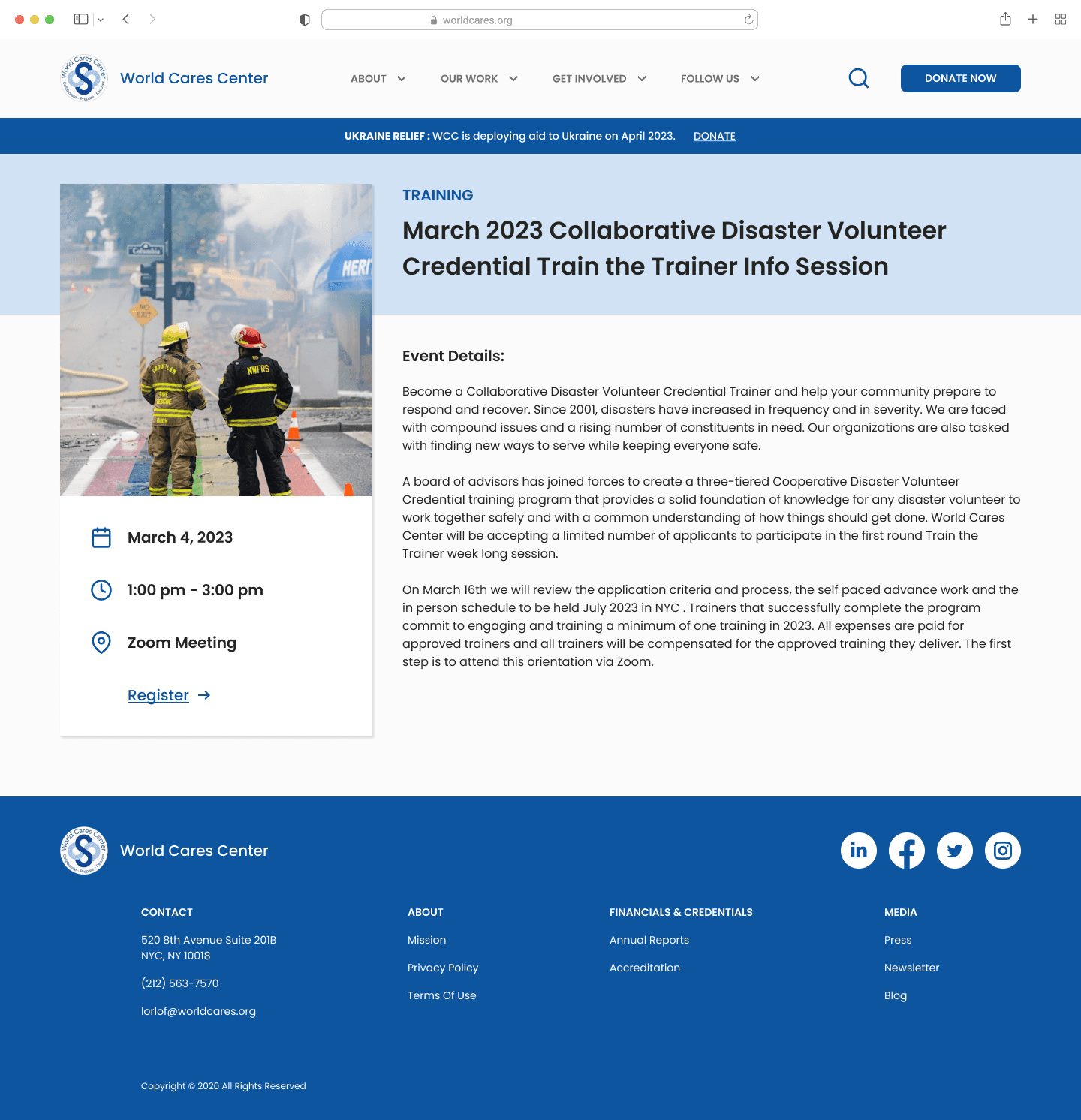
With feedback I got from testing the existing site, I redesigned World Cares Center's website by making it more visually engaging and easy to use. Below is a selection of pages from the final design.
REFLECTION
What I Learned…
Working with a team is different working solo. There are a lot of moving pieces and I tried to keep all stakeholders in the loop throughout my process.
Collaborate Early and Often
Incorporating stakeholders into the early stages of the design process not only facilitates smoother buy-in for your design concepts but also fosters a shared understanding among all involved parties. Additionally, it's important to recognize that valuable insights and innovative ideas can originate from individuals who may not have a design background.
Work Closely with Developers
I learned to be precise with padding and margins when annotating my Figma file. Developers won't know what values to set if you don't. I also learned to be aware of technical constraints when designing features.
Continue to Gather Metrics
I informed my design based on data gathered through usability testing and web analytics. In order to gauge the success of the design and to improve in further iterations, I will continue to monitor Google analytics as the site becomes live.